Amazon Alexa Tablet 12 Pro hands-on: Taking aim at the iPad Pro for less than half the price
It's a promising tablet that starts at about $500.
Overview
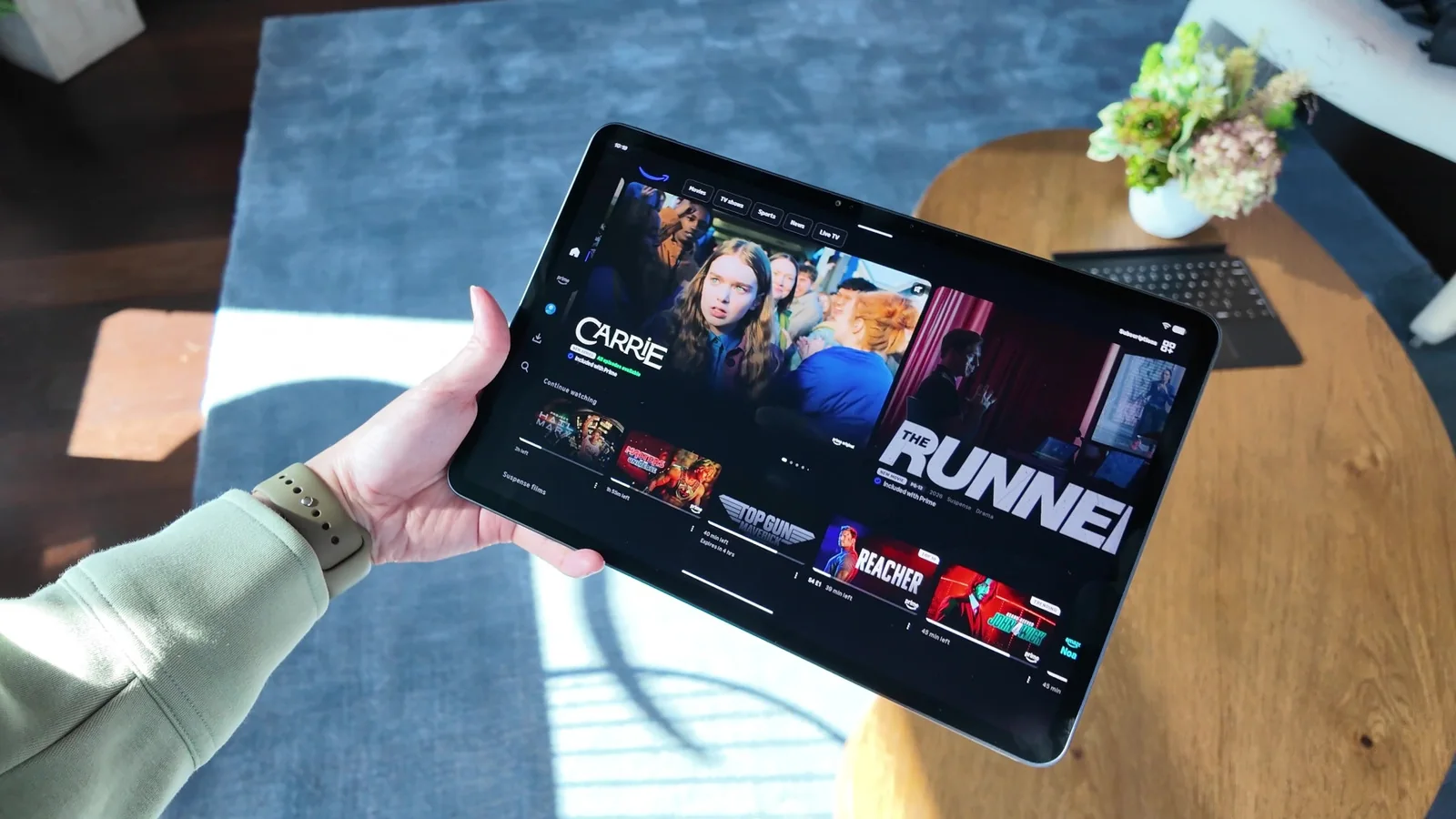
When it comes to tablets, only a few names are left standing: iPads, Galaxy Tabs, Surface and Fire. Amazon's Fire tablets have acquired a bit of a cult following, thanks mostly to the value they deliver for their relatively low prices. So it's a bit of a risky move for the company to announce today that it's completely replacing that line with a new family of Alexa tablets. The good news is, you'll still find the new 8-inch and 11-inch models fairly comparable to the Fire HD 8 and Fire HD 10. And the (probably) better news? The new Amazon Alexa Tablet 12 Pro looks set to take on the iPad Pro.
The 12-inch device starts at $499, with a more premium variant going up to $549. At that price, the latter version comes with 16GB of RAM and a texturized screen that the company calls a "nanomatte" display. It's powered by a 4-nanometer 8-core processor by MediaTek (specifically, the Dimensity 8400) and has some powerhouse display specs. It can refresh at up to 120Hz, has a 3:2 aspect ratio and a pixel density of 280ppi. It also has four speakers onboard with Dolby Atmos support for a surround sound-like experience, along with a promised 16-hour battery life. And as its new name suggests, Alexa is deeply integrated into the tablet's interface. I'll get into how all that felt in person in a bit.
I was able to speak with Panos Panay, the company's head of devices, Alexa and Leo this week, along with a couple of reporters. Acknowledging the Fire tablet's popularity, Panay said millions of units have been sold, as "they're fairly inexpensive and different."
The Alexa tablets, he added, are the result of 2.5 years of work. He said it was rebuilt from the ground up to offer "the most premium experience we possibly could" at "an affordable price point."
Panay said Amazon had three areas of focus when designing the Alexa tablets: All the apps users want (via, for the first time, the Google Play Store) and "Alexa intertwined throughout the entire OS." The third one, which actually was the first one he mentioned, seems to be a mix of the redesign and hardware.
Panay then went on to say that his philosophy whenever building a product is "What's the one thing?" This one thing is slightly different from those three things we mentioned earlier. It's the one thing that, according to Panay, should not be compromised on, no matter what. And for the Alexa tablet, "the one thing on this product was we were going to go reinvent the screen. No matter what."
Display and Kindle Mode
My confusion over all those numbers aside, the nanomatte display on the Alexa tablet is certainly unique. That is — on a gadget made by Amazon. When Panay first brought the device into view, before he even mentioned the display, I already noticed its texture. But my immediate reaction was that it's very reminiscent of the nano texture Apple brought to the iPad Pro line starting with the M4 generation in 2024. More recently, I've seen a similar treatment on the iPhone Duo's internal display.
It's not a bad thing that the Alexa Tablet 12 Pro's nanomatte screen reminds me of Apple's. Both options are striking in person and effectively reduce glare. When I used a video camera to record the non-nanomatte and nanomatte tablets side by side, it was clear the untreated model was more reflective of overhead lights at various angles. I did find it impacted brightness and readability ever so slightly in direct sunlight, though.
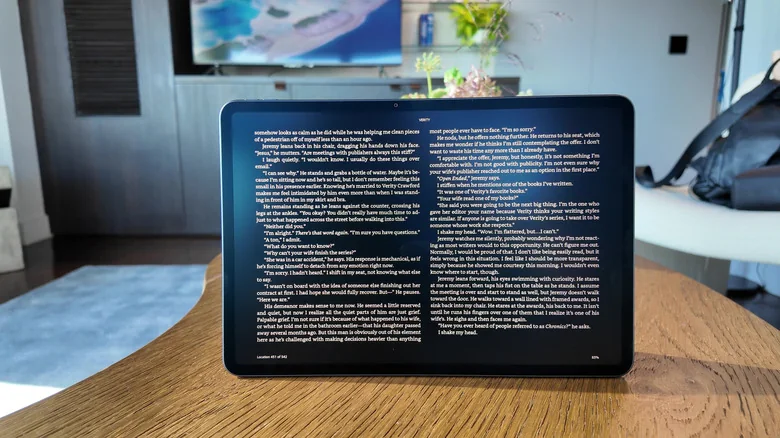
Amazon's new Kindle Mode for the Alexa tablets
The thing that differentiates Amazon from Apple in this case though, is Kindle mode. "We challenged the team, because of the nanomatte display and what we could do with it and how it feels when you put a pen on it," Panay said. "Shouldn't this be a Kindle? Shouldn't it be a Kindle Scribe?"
As the story goes, the team delivered. Kindle Mode is available across the entire Amazon Alexa tablet lineup, and it's basically a focused fullscreen reading environment that mutes notifications and reduces blue light. It also extends battery life to allow for 20 hours of reading. You can customize what contacts or apps can break through when you're in this mode, and for now it appears the only app that works with Kindle mode is, well, the Kindle app.
Since Kindle Mode only kicks in when you launch the Kindle app, there's not a lot of setup you have to do. There's also a pleasant animation when you enter and exit the app that has colors fade in and out, serving as a visual indicator of which mode you're in.
You can tweak the software to default to one of three color schemes in this view: Ink Paper, Color Paper and Standard. The first is a grayscale rendering, the second is a muted effect similar to newspaper comics and the third is somewhat like the glossy pages of a magazine. On the nanomatte model I tried, the effects were even more appealing. In that Color Paper option, something about the textured screen added a visual grit that scratched a nostalgic itch somewhere deep in the recesses of my almost-40-year-old brain.
With its page-turn animations and fullscreen two-page layout, it's pretty easy to imagine Kindle mode on any other tablet, like the iPad Pro with nano-texture glass I've mentioned a few times. And sure, it feels like you can simply buy a Kindle for the privilege of reading on a gadget that won't bother you with alerts. Even Panay conceded "You could argue that I'm challenging my own Kindle business by creating an Alexa tablet that does incredible Kindle work."
"But I think it's rad for the customer," he said. I guess if you're a person who mostly wants a tablet that can sometimes double as a pretty effective distraction-free Kindle, then the Alexa tablet could be right for you.
You can also use the company's new Pro Pen with these tablets, which will cost an extra $90. It felt quite similar to the Kindle Scribe's stylus in my brief experience doodling with it, but I need more time to fully evaluate it.
Software and AI
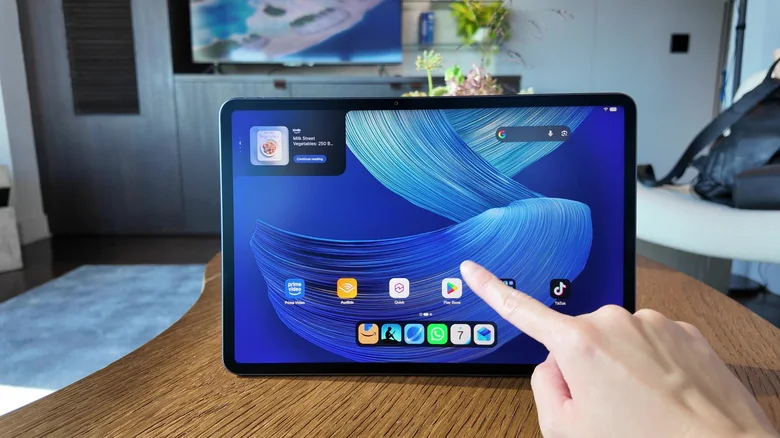
One of the most noteworthy additions to the Alexa tablets is the Google Play Store. Whereas the previous Fire tablets ran the company's FireOS and could only install apps via its included App store, the new versions allow you to easily access the entire ecosystem of Android apps. Because you're getting them via the Play Store, you'll also benefit from the vetting and security policies of Google's system.
As for the Alexa tablets' interface, there's a mostly familiar skeleton here that is based on Android. On top of it are some Alexa+ integrations, like a box in the top right corner of the home page that Amazon is calling the "Dynamic Tab." Unlike the Dynamic Island in Apple's products, this isn't an area that expands and contracts depending on the activities running in the background. It's just a 3-inch-wide box that's almost 2 inches tall and stays that size no matter what you're doing. In it are suggestions by Alexa+ based on your recent activity, whether that be the city you're visiting, the last show you watched on Prime Video or a book you're reading.
On the bottom right is a little rectangular cutout that houses the Alexa+ input bar with the A-shaped logo, the words "Ask Alexa" and a microphone button to start a voice chat. This is fairly straightforward – just tap the bar or microphone and start typing or saying what you need. A window will pop up to show your request and the assistant's responses to you.
More interesting, however, is the systemwide gesture of dragging in from the bottom right. No matter what app you're on, when you drag in from the bottom right, Alexa+ will detect what's on your screen. A glowing blue halo appears along the screen's edges to indicate it's looking at your tablet, and then a window pops up to show you a handful of suggestions about what Alexa thinks you want to ask. You can either choose from one of the options or just initiate a conversation.
During my hands-on session, I tried this on TikTok videos and the Engadget website in Amazon's Silk browser (which still comes preinstalled, though so does Chrome). In all those cases, the AI took a few seconds to analyze what I was looking at and generate suggested questions like "Get today's top tech news headlines," "Learn more about Nintendo Switch Sports Resort" and "Shop for Nintendo Switch accessories on Amazon." That's all in addition to the typical "Summarize this page" that most AI systems suggest when encountering any long-ish website.
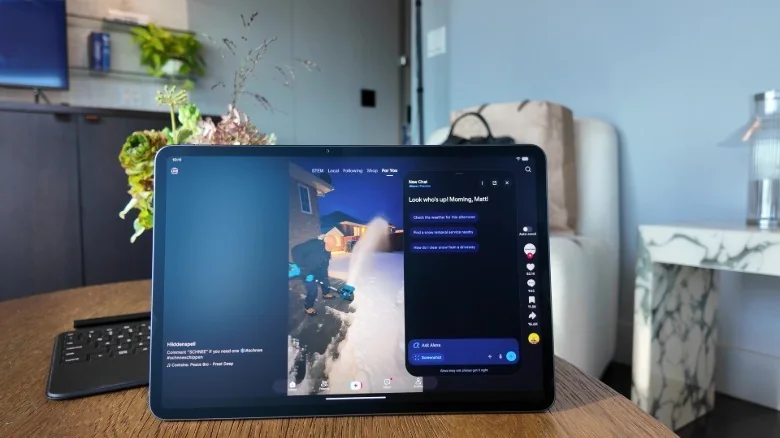
On TikTok videos of people clearing snow from their driveways, the assistant suggested "Check the weather for this afternoon," "Find a snow removal service nearby" and "How do I clear snow from a driveway." All of them felt almost relevant, and if I had clicked one of the options that suggested shopping on Amazon, the results included individual items with buttons to buy them or add them to my Amazon cart. Impulse buyers will definitely need to be careful with this one.
This gesture feels like the most baked into the OS that Alexa has been. It still exists to the left of your home screen (sometimes referred to as the "minus one" page) and surfaces your smart home controls, daily schedule and reminders, as well as news articles that might suit your interests. You'll also find tweaked versions of Android 12L features here, like a taskbar with pinnable apps and the ability to launch apps in split screen view.
Hardware Impressions
All this software is housed in an aluminum unibody that feels smooth and sturdy. I didn't encounter any flex, though I wasn't trying very hard to twist or bend it. And I was impressed by how responsive the device felt so far. The little bits of book-reading and watching Project Hail Mary I did during my time with the Alexa Tablet 12 Pro were convincing of its display's quality so far.
I also made sure to type on the Pro Keyboard, an optional $149 accessory which had a surprisingly satisfying amount of travel and responsiveness for the super thin profile. The trackpad was not only capable of recognizing my taps and swipes, but picked up my two-finger gestures to scroll as well.
My main gripe with the Alexa Tablet 12 Pro so far is that it doesn't come in the fun colors that the smaller models do. You can only get it in a boring graphite, while the others are available in greenish (Teal and Matcha) and burgundy-ish (Amethyst and Rosette) hues.
As for how the tablet holds up in the real world, and whether it measures up to the competition, we'll have to wait till we can get units in for testing. For now though, at a starting price of $499, and even at $549 for the nanomatte model, the Amazon Alexa Tablet 12 Pro is a very compelling package for the money.